Buy a system
Equip your team for regular tours. Choose an OTG-200 or D220 setup with IHOS live translation, configured around your group and languages.
Ask for a purchase quoteYour guide speaks. Guests hear live translation in their chosen language, on a tour receiver or their phone.
Buy, rent or connect your own equipmentΚαλώς ήρθατε στην Ακρόπολη.

Buy, rent or connect your existing tour system. IHOS adds live translation so guests hear the same tour in their language.
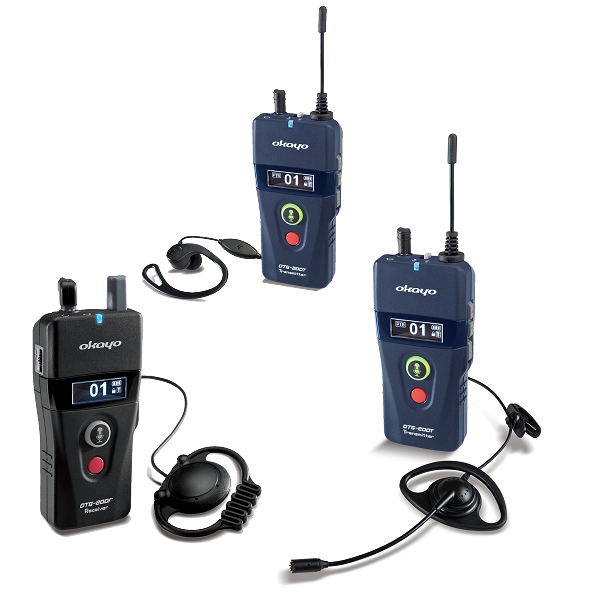
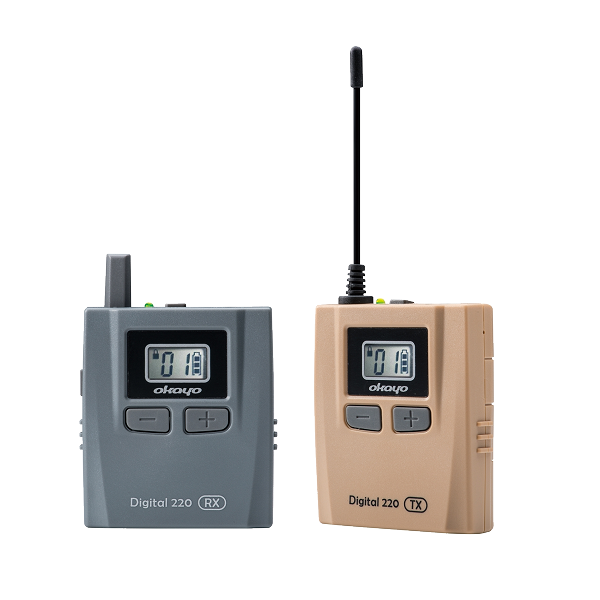
Product photography: Okayo. IHOS provides the live translation; the radio equipment carries the audio.
One live commentary, in the guide’s language.
The IHOS hub routes each translated audio feed.
A separate transmitter and channel carry each selected language.
Receivers are set to the guest’s language channel.
From IHOS, audio can also reach guests through a QR link in their phone browser. Plan receivers, phones or a mix for the same group.
Plan a mixed groupThe guide and IHOS hub need internet for cloud translation. Receiver listeners need neither a phone nor mobile data. Guests listening in a phone browser need their own internet connection.
Use ihos for events, workplace training and Microsoft Teams meetings.
Guide a multilingual group with phones or tour receivers.
Explore the solution
Talks, workshops and training that invite more people in.
Explore the solution
Bring ihos translation into the way your team meets.
Explore the solutionIllustrative scenes created with AI.
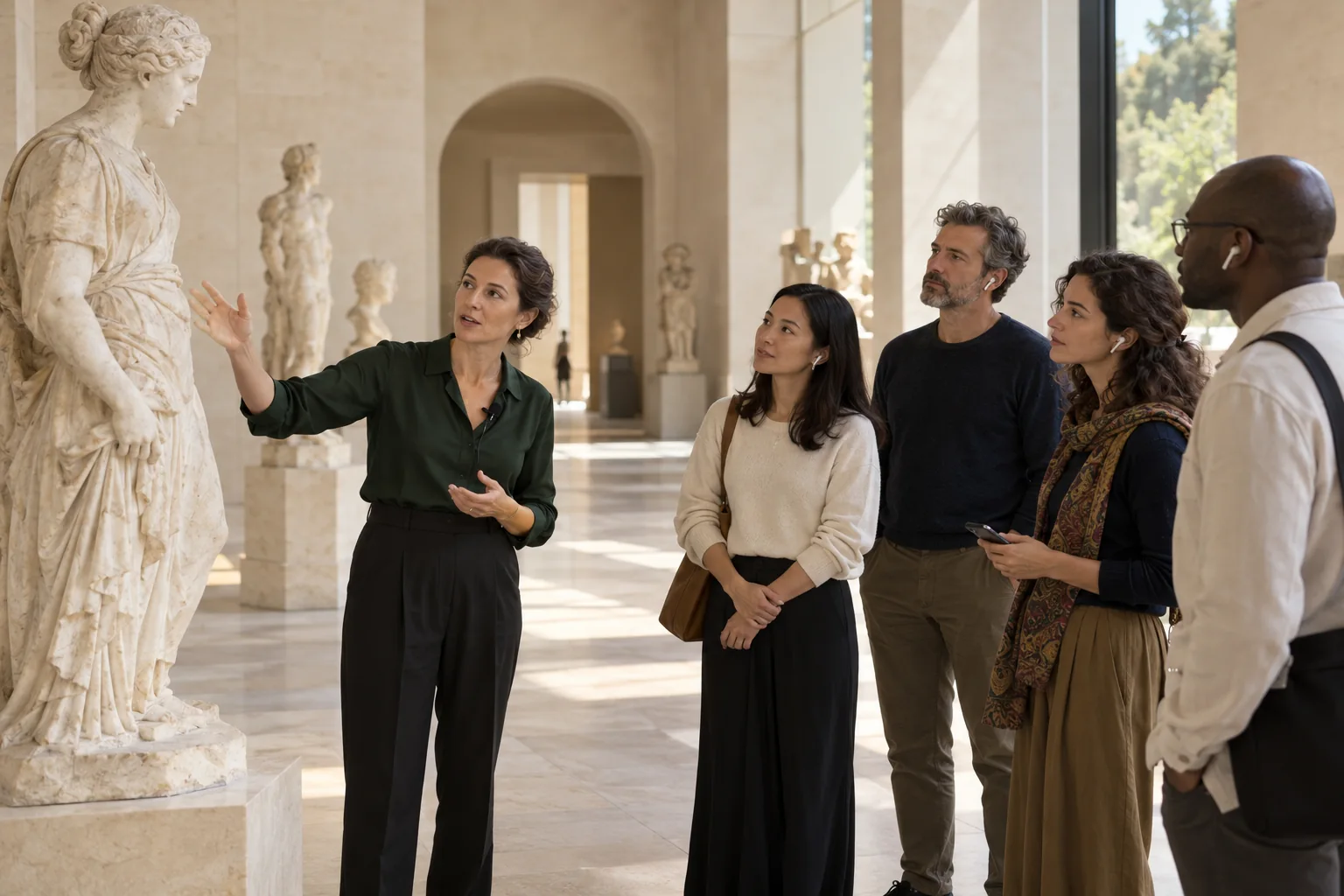
Guests on phones can ask a spoken question in their language. The guide hears it translated and answers the group.
Explore guided experiencesExplore OTG-200 and D220 setups for translated group tours. ihos provides the live translation; the guiding system carries the audio.
Okayo OmniTour
Hardware talk-back, roll-call and gathering functions for group guiding.
Device details: OkayoOkayo D220
Built-in microphones, push-to-talk and guide-controlled talk-back and channels.
Device details: OkayoOTG-200 and D220 both support hardware talk-back. That radio feature is separate from a translated return path through ihos. Phone guests can ask translated questions; we can demonstrate that workflow in an arranged product walkthrough. Translated receiver talk-back is checked separately for your setup.
The next chapter of the guided tour
We’re developing an all-in-one IHOS device for live tour translation. The ambition: bring a guide’s core workflow into one portable format, with more attention on the people and places around them.
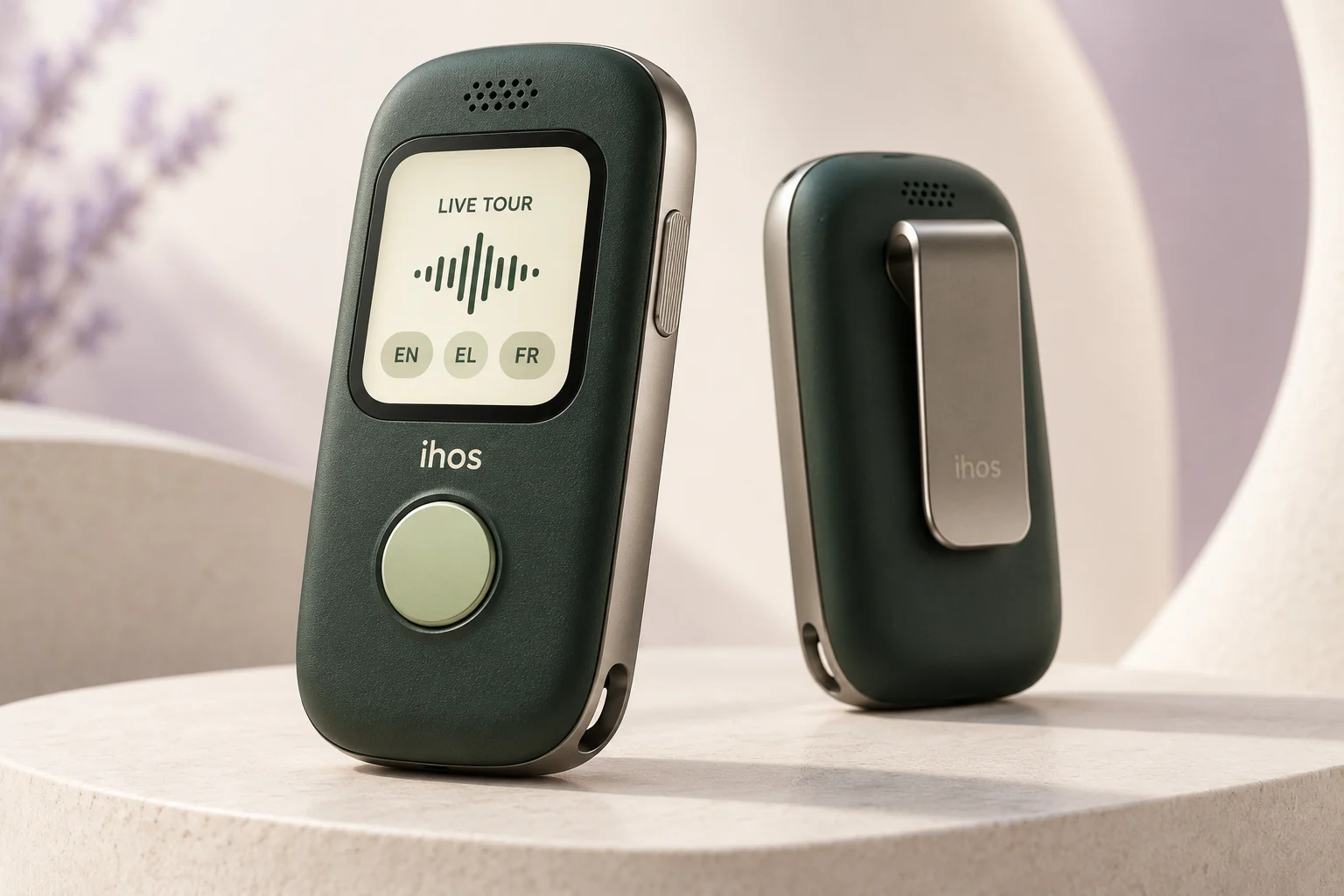
Concept render. Final design and specifications may change.
How it works
Choose the language you will speak and the language in which you want to hear questions.
They scan the QR on their phone and choose a language in the browser. They listen through earphones and can ask questions.
The guide speaks English and the listener hears Greek. They ask in Greek and the guide hears English — live.
Try it with your voice
A real microphone demo. Choose a language, start, and say a few sentences as if you were guiding a tour.
Live demo is not connected yet. You can explore the illustrated tour below.
Your words will appear here.
The translated voice will arrive as you speak.
Use headphones to prevent feedback. Speak in a different language from the one you selected. Stop ends microphone capture immediately. This demo does not save your audio on the ihos server.
Live speech-to-speech preview. Translation and voice reproduction can vary.
Imagine this on your next tour. Book a live demo →
The tour is paused. Press “Continue tour” when you are ready for the next sentence.
Καλώς ήρθατε στην Ακρόπολη. Στεκόμαστε στα Προπύλαια, τη μνημειακή πύλη του βράχου.
Welcome to the Acropolis. We are standing in the Propylaea, the monumental gateway to the rock.
Bienvenue sur l'Acropole. Nous sommes dans les Propylées, la porte monumentale du rocher.
Willkommen auf der Akropolis. Wir stehen in den Propyläen, dem monumentalen Tor zum Felsen.
欢迎来到雅典卫城。我们现在站在山门,也就是这座岩石的纪念性入口。
Connect the ihos hub to your existing transmitters. Assign one translated language to each channel and test every output before the group joins.
The rig is managed on the hub.
One for the guide and one for the listener. Each shows only what they need while the interpretation runs.
Guests scan this to join.
Guest preview →Le Parthénon a été bâti en neuf ans, entre 447 et 438 avant notre ère.
Il n'y a pas une seule ligne parfaitement droite…
Parlez dans votre langue. Le guide vous entend traduit.
Use ihos translation plugins in Microsoft Teams meetings. We help you plan the language pairs and setup for your organisation.
No. Guests scan the tour QR code and listen in their phone browser. Only the guide uses the ihos app.
A phone with an internet connection and their own earphones. If you prefer, they can listen on a dedicated tour receiver with an earpiece instead, with no phone needed.
Yes, a few seconds, much like a human simultaneous interpreter. Guests hear the same tour, a moment behind the guide's voice.
Yes. Guests on phones hold a button and ask in their own language; the guide hears the translation. OTG-200 and D220 also have hardware talk-back. Routing those receiver questions through ihos translation is checked separately for your setup.
Tell us the languages you need. We will confirm the language pairs and test them with you in your setup demonstration.
Yes. The interpretation runs live in the cloud, so the guide's phone needs a data connection, and so do guests listening on their phones. Guests on receivers don't, because the audio reaches them by radio from the transmitter.
The ihos Android hub sends each translated language to its own transmitter channel. Tell us which system you use so we can check it and test the full setup with you during the pilot.
No. Your guide leads the tour, tells the story and answers questions. ihos translates their speech into the group’s selected languages.
Tell us your group size, languages, route or meeting format, and any equipment you use.
Try the listening experience and question flow with the language pairs that matter to you.
Agree the setup, check connectivity and confirm the practical details before your pilot.
Request a demo, a purchase or rental quote, or a compatibility review. Tell us your languages, group size, location and dates. This sends an enquiry; it does not place an order or confirm a booking.
We will reply within two working days to discuss your setup or demo. No order or booking has been placed.